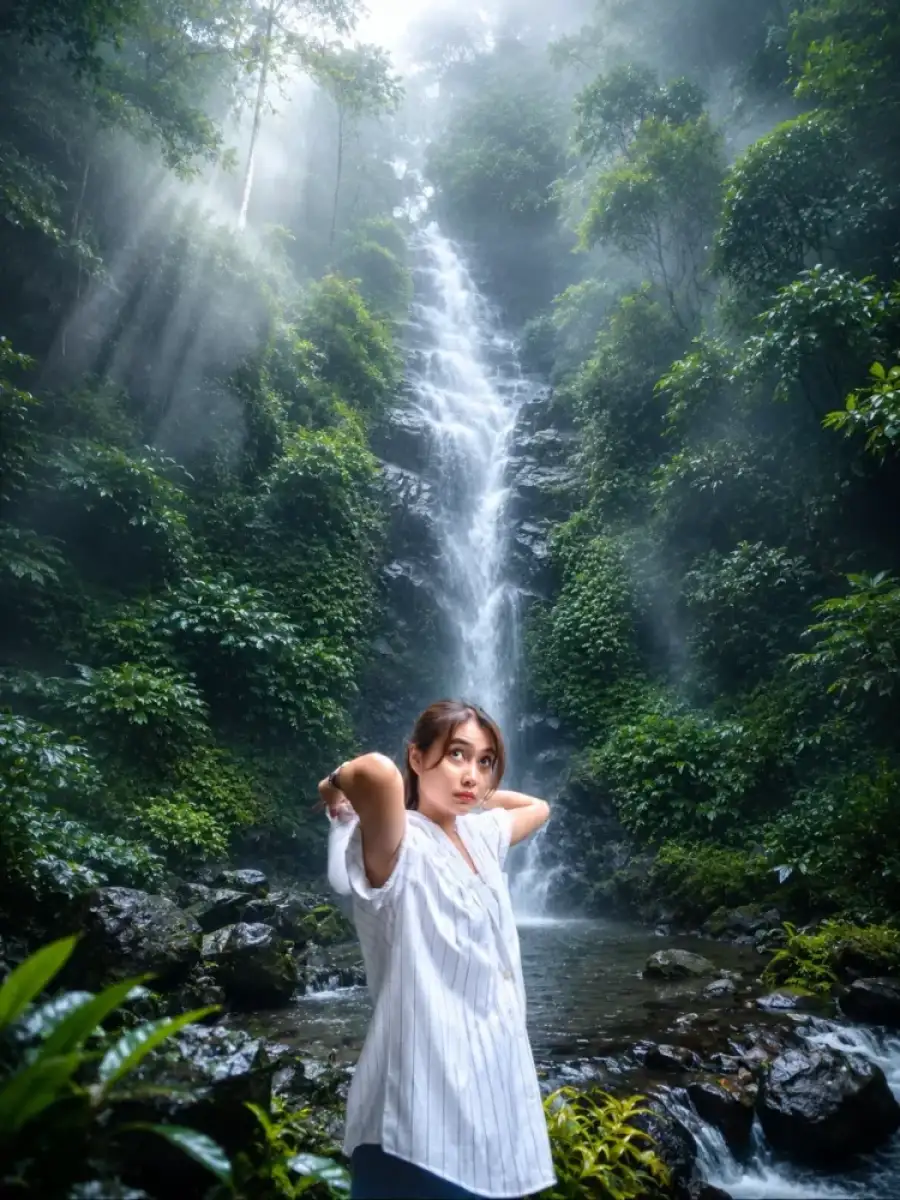
> Transform the uploaded photo into an ultra-realistic cinematic rainforest waterfall scene while preserving the person's exact face, hairstyle, body proportions, pose, clothing, expression, and camera angle. Replace only the background with a breathtaking tall tropical waterfall surrounded by lush emerald-green rainforest, dense jungle vegetation, moss-covered rocks, and crystal-clear flowing water. Add thick natural white mist and atmospheric fog throughout the environment, creating a dreamy and mysterious mood. Introduce soft volumetric sun rays filtering through the forest canopy from the upper left, illuminating the waterfall and surrounding trees with realistic god rays. Enhance the foliage with rich deep green, teal, and earthy tones while keeping the waterfall bright, silky, and naturally flowing. Add realistic wet rocks, subtle water reflections, moisture in the air, and cinematic depth. Apply premium film color grading with soft contrast, gentle bloom, slightly cool highlights, and realistic HDR lighting. Maintain sharp focus on the subject while using a softly blurred background for depth. Preserve natural skin tones and textures without changing facial identity. The final image should look like a high-end DSLR travel photograph shot on a full-frame camera, 35mm lens, f/2.8, ultra-detailed, photorealistic, 8K, National Geographic quality, atmospheric, immersive, cinematic masterpiece.
✅ Prompt Copied!
Use Waterfall Ai Photo Editing Prompts For Chatgpt AI photo editing prompt to create stunning and viral AI photos easily.
Simply copy and paste this prompt into ChatGPT or Gemini AI to generate cinematic photo edits with stylish backgrounds and creative effects.
Find more trending AI prompts and editing resources on
CBEditz.com.